Make my car video

FLYING CAR AI / ONE VERY UNLIKELY ENTRANCE

Your car. The entrance nobody asked for.

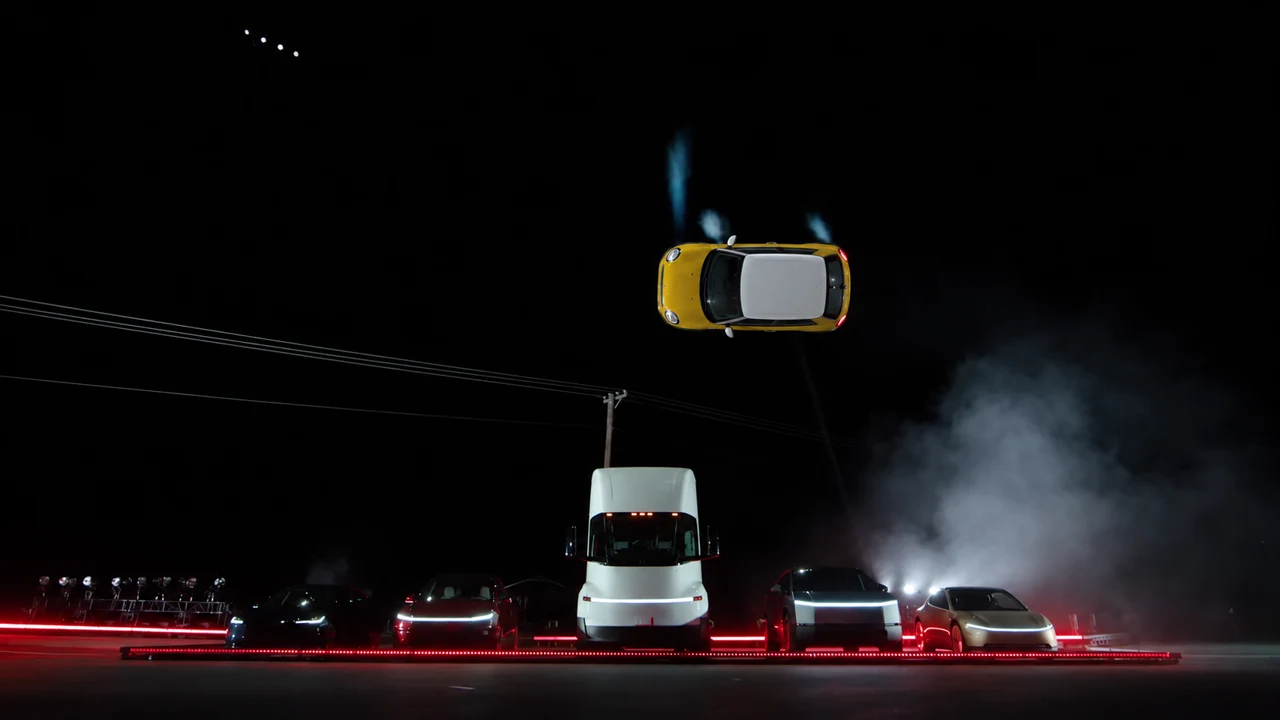
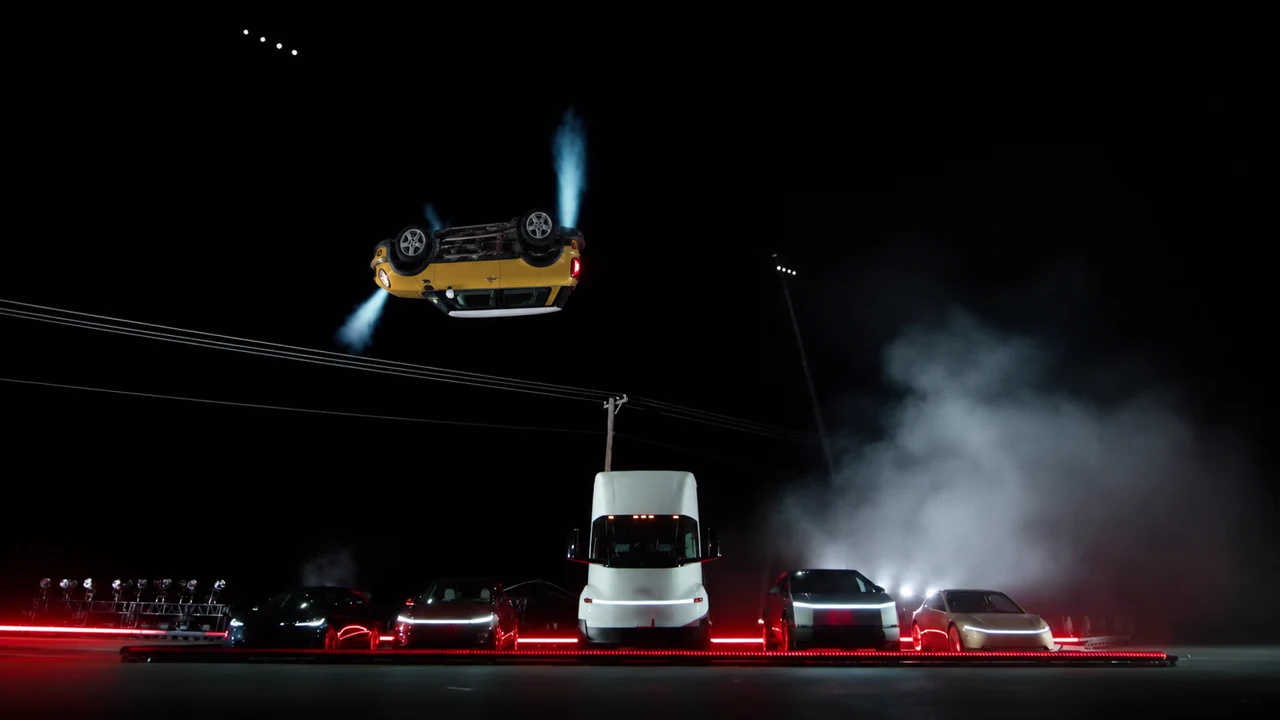
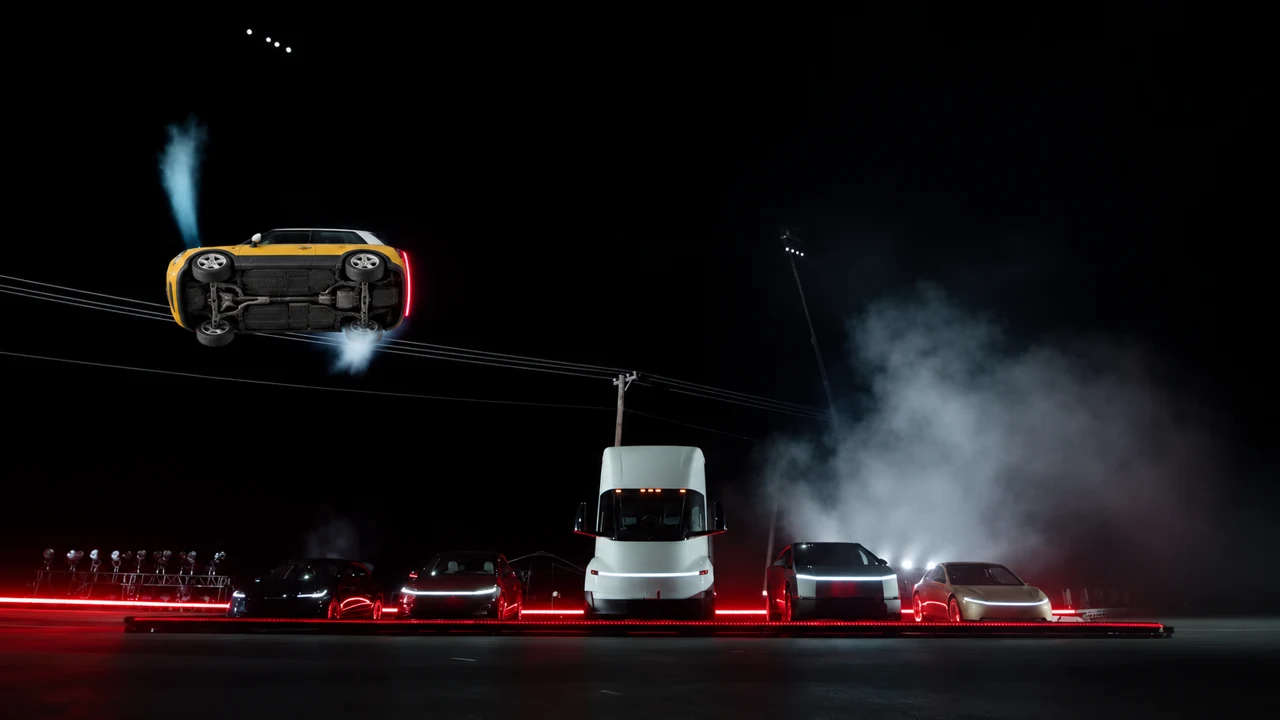
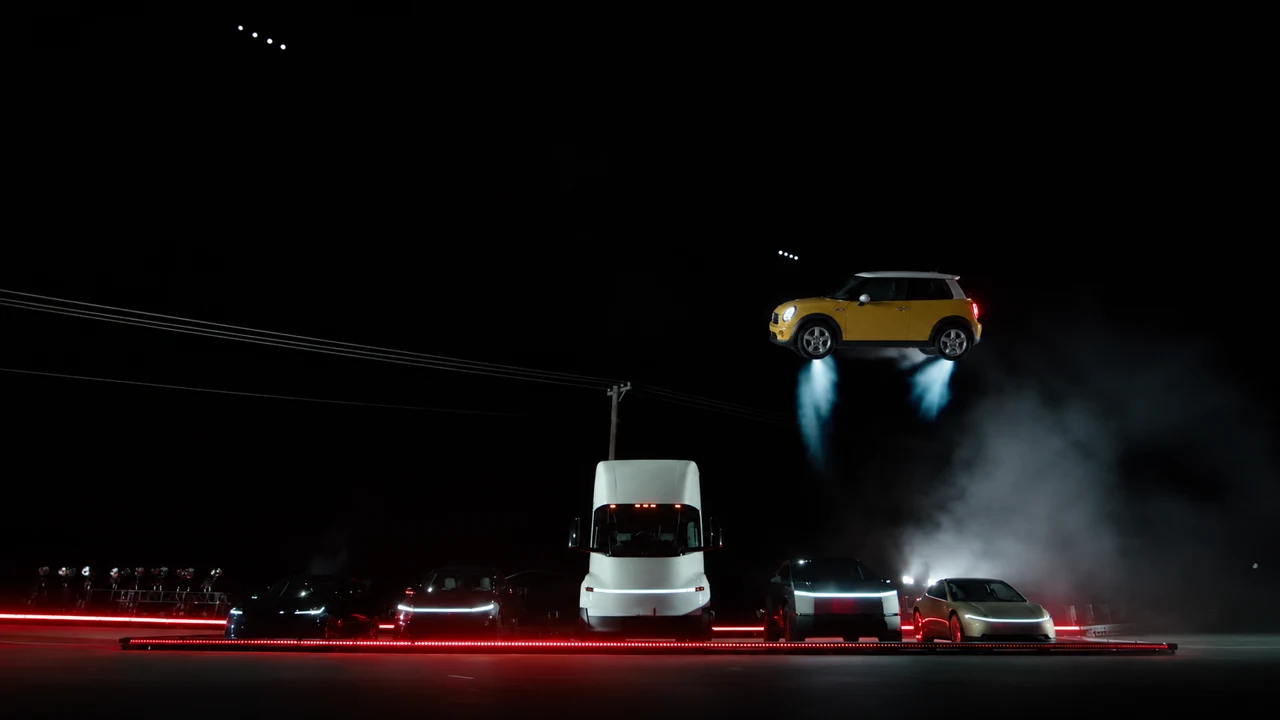
Turn a car photo into a night-show stunt: rise from the right, roll once over the white truck and land on the left in vapor. The scene and action pictures below guide a new AI video. Your car stays the identity reference.

Make my car video

Mini · 8 seconds · 480p · 16:9 · Silent MP4

Photo-and-reference workflow example. Results vary.

Bring the car, inspect the references

Use one clear photo with the whole vehicle and wheels visible. A side or three-quarter view gives the model more body detail than a cropped badge or dashboard.
@Image1 · Your car identity
No image in this slot
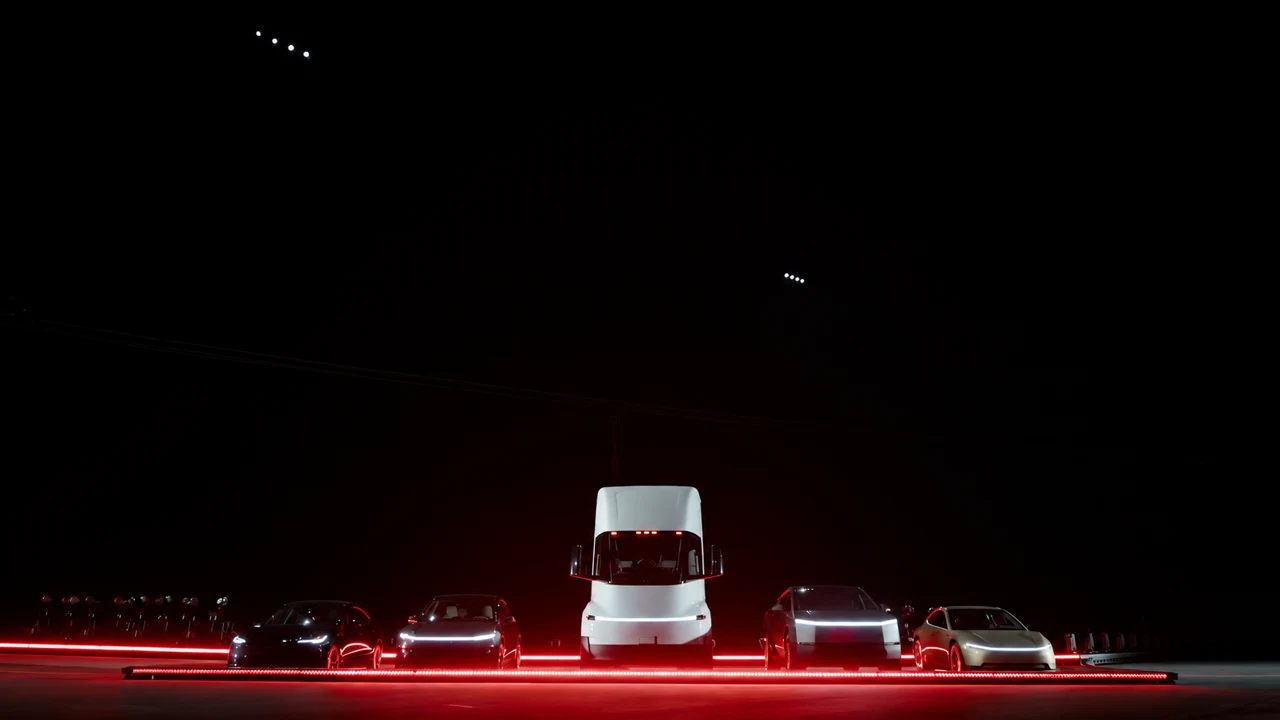
@Image2 · Stage layoutStage layout
@Image3 · Upright actionUpright action
@Image4 · Roof toward cameraRoof toward camera
@Image5 · Inverted actionInverted action
@Image6 · Underbody toward cameraUnderbody toward camera

Images 2–6 guide the stage and consecutive roll poses, not extra car identities. Replace or remove any of them. Your Image1 car takes priority over the example vehicle.

Direct the entrance

References keep their visible Image numbers. Removing an image preserves your writing; edit its mention or deliberately load directions for the images still selected.

One continuous 8-second photorealistic side-on shot. Silent, 16:9. is the ONLY identity of the moving car. Preserve its paint, roof, lights, wheels, silhouette and proportions; ignore its original photo background. is the fixed night-stage layout. is its upright airborne pose (0 degrees). is the next roof-facing-camera pose (90 degrees). is the next fully inverted side pose (180 degrees, wheels UP). is the next underbody-facing-camera pose (270 degrees). Continue that same rotation back to the upright pose of (360 degrees). These are consecutive attitudes of ONE car, not separate cars, scenes or displayed still pictures. The example vehicle in scene/action references provides pose only; replace it with throughout. Lock the camera low and almost stationary beside the same stage. Preserve the central tall white truck, two parked cars at each side, red horizontal LEDs, overhead lines and black night. All five obstacle vehicles remain motionless. Only the user's car moves RIGHT TO LEFT, its front bumper ALWAYS on the LEFT and rear bumper ALWAYS on the RIGHT. The flying car rotates ONLY around the straight axle running from its FRONT bumper to REAR bumper, like a log rolling. Keep that long axle HORIZONTAL and PARALLEL TO THE GROUND through the whole motion: front and rear bumpers remain at the same height. The roof rotates toward camera, then under the car, then away from camera, then back on top. Do NOT tip the nose or tail vertically; no somersault, no in-plane spin, no camera orbit. 0–1s: the user's car enters from far RIGHT at ground level, facing LEFT. 1–2s: blue-white downward compressed-gas jets lift the level car above the truck roof. 2–5s: it travels RIGHT TO LEFT across the obstacle line and makes exactly one smooth full longitudinal roll, following then then then then . During every intermediate pose keep the front-to-rear axle horizontal; the nose still points LEFT. 5–6s: after clearing the LEFT end, car is level and upright, descends and touches down on four tires in a short white vapor cloud. 6–8s: car exits LEFT while camera holds the unchanged obstacle lineup and dissipating vapor. No cut, teleportation, wing, ramp, extra moving vehicle, text or watermark. Use the same uploaded vehicle identity throughout.

A car-meet joke needs one unmistakable car

The punchline is seeing a familiar everyday car make an absurd entrance. Keep its paint, body and wheels recognizable, then let the take-off do the talking. A short caption such as “said I would arrive quietly” works better after the action is clear; add it in an editor after downloading the MP4.

A side stunt, with its references in the open

This setup follows the night exhibition layout: a tall white truck in the middle, parked cars at the sides and red light across the ground. The moving car travels right to left and makes one longitudinal roll. It is a photo-based reconstruction with scene and pose references, not source-video motion transfer. The reference pictures are visible so you can see exactly what the model is being asked to use.

Watch the landing before sharing

Check the whole eight seconds, especially the inverted pose and the first wheel contact. The car can change shape, repeat the roll, miss the landing or drift into an obstacle. These are generated visuals, not a driving demonstration. Watch for those changes before sharing, and keep the take only if the car and action still work for your joke.

Can I use my everyday car?

Yes. A hatchback, family car or roadster can be the subject; use a clear whole-car photo with the wheels visible. In Flying Car AI, your upload supplies the moving vehicle’s identity, while the other pictures guide the stage and airborne poses. If you are making a roadster AI clip, keep its roofline and body in view rather than uploading only a close-up of the badge. The reference car’s paint and shape should not replace yours.