Original dance reference
Original clip for viewing inspiration. Not submitted to AI generation.
The little dance with main-character energy
The tiny tuxedoed dancer is the punchline. Use a photo to make him look like you, or put yourself in the reaction shots while somebody else does the dancing.
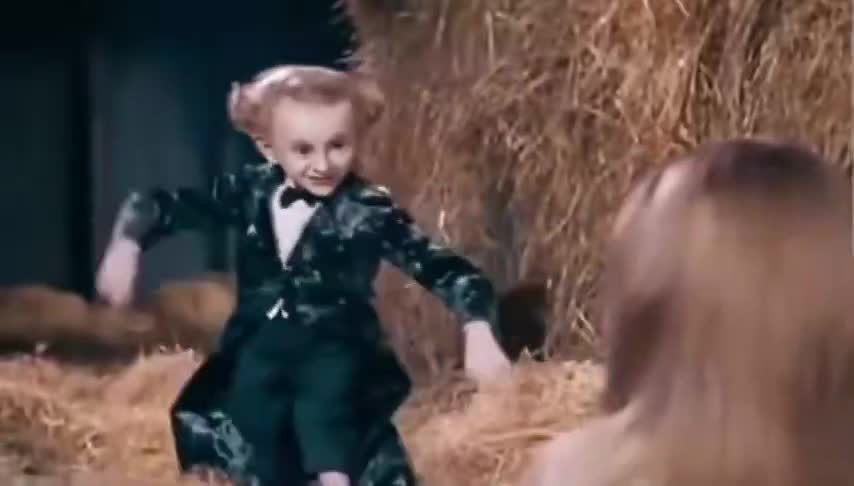
Photo 1 · dancer identity (@Image1)
Use photos you have permission to upload. Check your role assignments and credit quote before generating. AI recreation may vary from the original motion.
Watch the original for inspiration. AI generation uses your photos, scene screenshots and a detailed shot-by-shot prompt; this video is not submitted to the model.
Watch to understand the style. AI recreates the scene from still images and written direction; steps and camera timing can vary.
Reference video + your captions. This mode does not change the dancer or faces.
Add your own joke to the 15-second dance template. No account required.
960 × 540 WebM with template audio. Export takes about 15 seconds; keep this tab visible. Original MP4 download has no captions.
Explore the original scene and dancer remixes made with Rumpel.
Original clip for viewing inspiration. Not submitted to AI generation.
AI-generated with Rumpel.
AI-generated with Rumpel.
“Rumpelstiltskin face swap” is a useful way to describe the idea, but the result here is newly generated video. Your portrait supplies the identity; the scene screenshots and prompt describe the clothing, scale, gestures and camera. That gives the model room to make expressions and movement, and also means the choreography will not match frame for frame.
Dancer mode makes your subject the small performer in a tuxedo. Spectator mode puts the subject in the seated reaction shots. If both faces matter, use the two-photo option instead of trying to describe a second person in the prompt.
A sharp face is more useful than an elaborate background. Use a front-facing or gently turned portrait with ordinary light, no sunglasses and no face hidden behind hair or hands. Avoid a distant full-body photo: the model needs a clear identity before it can reproduce that person as a tiny figure across the barn.
Keep the starting prompt for your selected role on the first attempt. If you change it, identify the person as @Image1 and keep that role consistent in the wide shot and the close-ups. A prompt that calls the same person both dancer and spectator can produce a convincing-looking scene with the wrong casting. Only upload photos you have permission to use.
Rumpel is an independent browser tool for the Rumpelstiltskin tiptoe dance meme. Add a free caption to the existing clip, or choose an AI recreation featuring your photo as the dancer, spectator or both characters.
Choose a clear portrait for the dancer or spectator. For both characters, upload two photos: dancer first, spectator second.
Scene screenshots establish the barn and footwork. A detailed six-shot prompt directs identities, camera angles, dance beats and reactions.
Generate the scene once, add the fixed soundtrack, then download your video. Or export a free captioned template.
Know your little dancing guy
A tiny tuxedoed figure tiptoes through a barn with the confidence of someone who has just won at life. The viral Jordans edits are commonly described as AI-generated, and are distinct from the Shrek character and the 1987 film.
The origin, the song and the confusion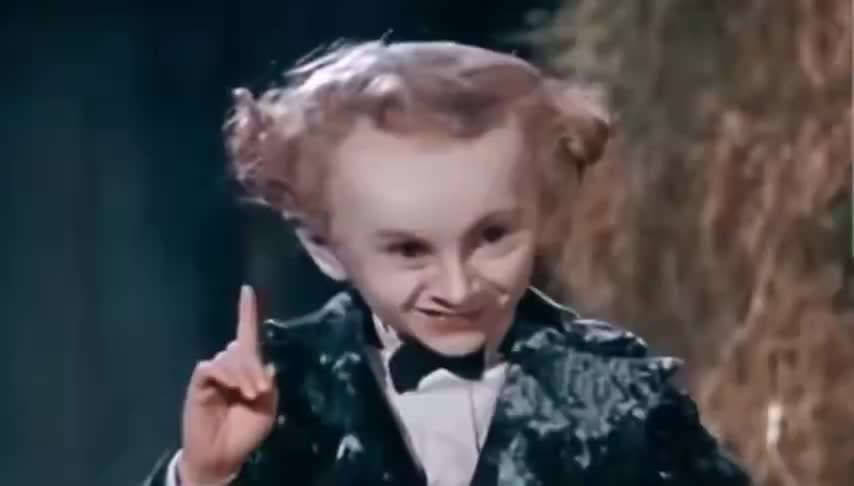 The tiptoe dance reference
Caption editing is free. Pay for AI videos with credits. No subscription. Purchased credits do not expire.
123 credits
369 credits
1230 credits
Loading prices…
480p costs 57 credits; 720p costs 123. Counts above are alternative uses, not combined entitlements. Confirmed generation failures return app credits. Unknown results stay under review. Payment refunds follow our terms.
The meme, the music, and what this tool actually does.
The current tiptoe format features a tiny fantasy-style dancer in a barn, often paired with Riff Raff’s “Tip Toe Wing In My Jawwdinz.” It is also searched as the AI gnome dance or Rumplestiltskin meme. It is separate from Shrek reaction images.
Choose dancer, spectator or both characters. Your portraits define identities; scene screenshots and a detailed six-shot prompt reconstruct the scene. No reference video is sent to the model. The dance and camera sequence can vary.
Yes. Open “Add your caption,” write your own top and bottom lines, and export a captioned WebM in a supported browser. This happens locally without uploading your text or buying generation credits. The original MP4 download has no added caption.
A 15-second photo remix costs 57 credits at 480p or 123 at 720p. One-time credit packs start at $4.99 USD for 123 credits. There is no subscription; purchased credits do not expire. Confirm the selected quote and checkout total before paying.
The free caption template needs no account or credits. Photo AI remixes require Google sign-in and enough credits. This site’s account, orders and credits are separate from Kadenly.
Use a clear portrait with an unobstructed face and even lighting for each identity. Dancer or spectator mode needs one photo; both-character mode needs two. JPG, PNG and WebP files up to 10 MB are accepted. Use photos you have permission to use; heavy filters, sunglasses and multiple faces can reduce consistency.
The free caption editor exports a 960 × 540 WebM with the template audio in supported browsers. The original MP4 download has no added captions. Photo AI tasks offer a final video download after processing succeeds. All modes use landscape 16:9; this site has no vertical export or green-screen output.
You can edit captions and upload a photo on a phone. Caption export needs a browser that supports the required media-recording APIs; keep the tab visible for the roughly 15-second export. If WebM export is unavailable, download the original MP4 and add captions in a video editor.
The Jordans version is paired with Riff Raff’s “Tip Toe Wing In My Jawwdinz.” Photo remixes add the supplied fixed soundtrack after generating the visuals. There is no lip-sync stage or commercial music license included.
Choose dancer mode for your photo as the tiny performer, spectator mode for reaction shots, or both characters with two separate identity photos. The AI recreates the scene from still images and written direction, with some variation in motion, cuts and likeness.
A photo, a prompt, or one very good caption.
Make a 15-second Rumpelstiltskin AI video from photos. Choose the dancer, spectator or both, check the credit cost, and download your MP4 with sound.
Make a two-person Rumpelstiltskin AI meme from separate photos. Photo one dances, photo two reacts. Create a 15-second video and download the MP4.
Choose a free caption template or a photo AI remix. Learn the steps, credit costs, download formats and limits before making your Rumpelstiltskin meme.
Understand the AI dancing gnome meme, the “Rumpelstiltskin (1987)” caption, creator attribution and how it differs from the Shrek chair meme.
Identify Riff Raff’s “Tip Toe Wing In My Jawwdinz,” understand the Jordans meme name, and check how backing music works in an AI recreation.
The 1987 Rumpelstiltskin movie is real, but the viral tiptoe barn clip is AI. Find the actor, the original creator and the difference between the two.
Find the right Rumpelstiltskin GIF format, choose the useful part of the tiptoe dance and learn how to turn your downloaded MP4 into a short loop.
Write a Rumpelstiltskin AI video prompt that keeps the dancer and spectator separate. Learn image ordering, camera beats and what to change first.